API Keys
API Keys
API Key Manager
XTD provides REST APIs for integration with external systems. To use any of the integration methods, you require an API key to authenticate the integration. Create and retrieve keys in the platform under the Settings menu in the API Key Manager panel.
Access API keys and documentation from Settings at the top right of the screen:
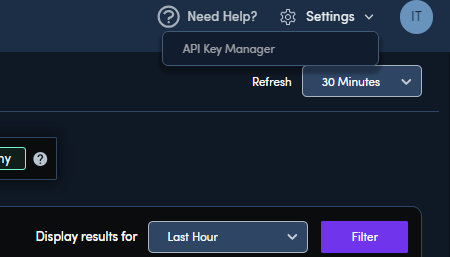
From the Settings dropdown, select API Key Manager to view your API keys, generate new keys, or learn about how to use the keys.
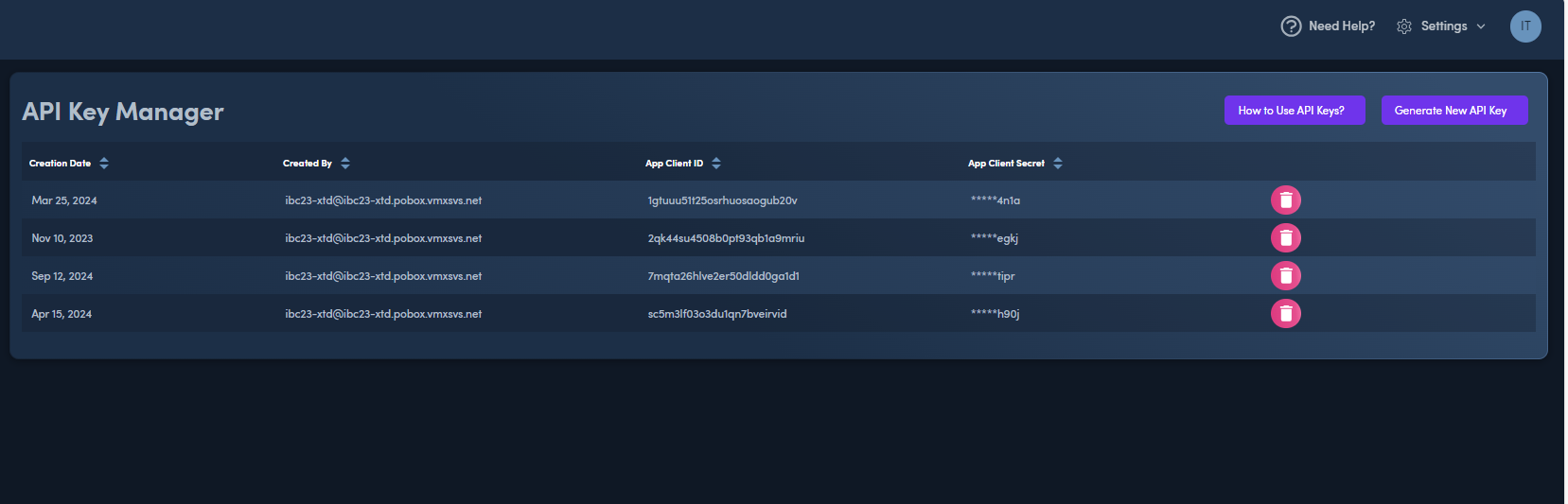
Generate New API Key
Select Generate New API Key to generate a new key.
The generated key is downloaded. Store it in a secure location.
{
  "appClientId": "7m.........0s5i",
  "appClientSecret": "cm1m65g.......jt",
  "encodedKey": "Njd.........tbzBzNW.......0"
}
NOTE Make sure you record the owner (username - email) of the generated key, as it is also required for authentication.
Using the API Key
For detailed instructions, select see API Key Usage.